



Watching television through a satellite receiver may appear to be a simple process, yet the technology behind every available channel involves a number of technical settings. When these settings change, viewers may need to update their equipment before a channel can be received normally again.
Frequency information provides the starting point for identifying a particular broadcast. By using the appropriate transmission details, the receiver can search within the correct signal range instead of scanning blindly through all available options.
However, entering the correct information does not always guarantee perfect reception. The strength and quality of the incoming signal can be influenced by the dish position, obstacles around the installation, weather conditions, cables, connectors, and the performance of the receiving equipment.
Another important aspect is the way channels are searched and stored. Depending on the receiver, users may choose between automatic and manual scanning, with manual tuning often offering more control when searching for a particular service.
Understanding these basic principles can save time and make it easier to identify the reason behind missing channels or unstable reception. Instead of changing several settings at random, users can approach the problem step by step and check each possible factor.
Our goal in this article is to provide clear and useful information covering the main elements of satellite reception and channel tuning, allowing readers to deal with frequency updates and technical issues in a more practical and informed way.
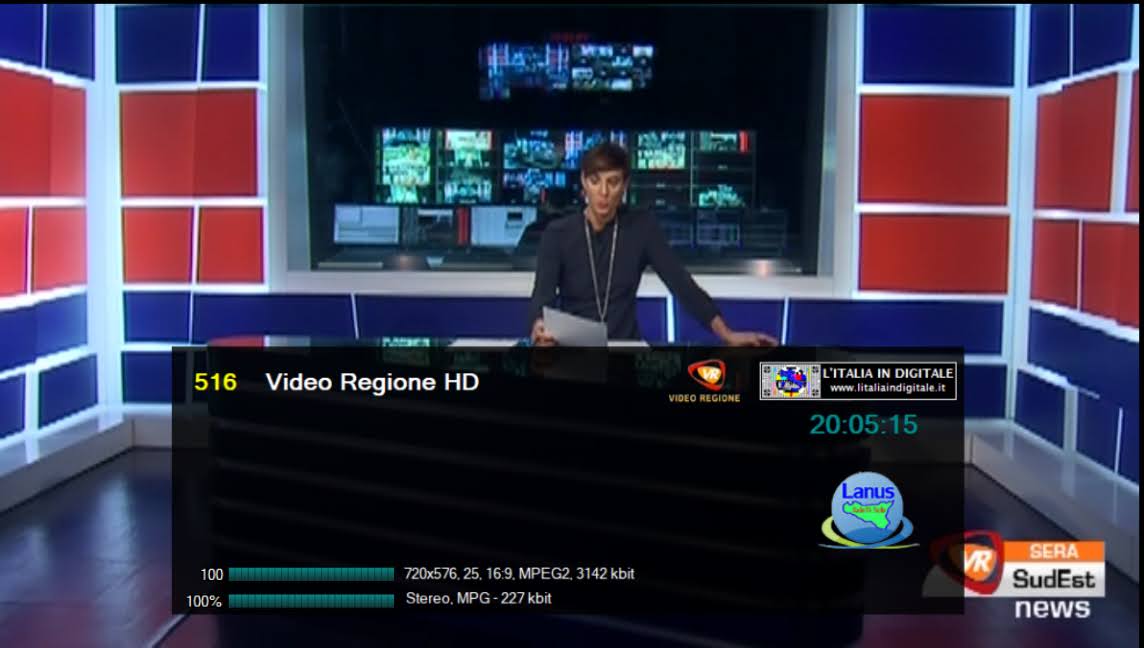
Video Regione is a popular Italian local tv channel, primarily serving viewers in Sicily and southern Italy. Known for its local news, cultural programs, entertainment, sports, and community-focused content, it provides an authentic voice for local identity and daily life in the area. This article offers a complete, up-to-date, and distinctive guide to the channel, including its background, current satellite frequencies, easy tuning instructions, popular programs, and tips for steady reception.
Whether you are in Italy or part of the Italian diaspora in EU region, this guide will help you access Video Regione with sharp and reliable transmission clarity.
Brief Overview of the Channel
Video Regione is a private local broadcaster that focuses on Sicilian and southern Italian audiences. The channel delivers a balanced mix of local news bulletins, talk shows, cultural and traditional programs, music, sports highlights, and entertainment. It plays an important role in promoting local events, traditions, and community issues. Video Regione broadcasts in Italian and is available in standard definition (SD) via satellite, making it easily accessible to viewers both locally and abroad through Free-to-Air (FTA) transmissions.
Frequencies of the Channel on All Satellites
Video Regione is mainly transmit on satellites serving Italy and the Mediterranean region. Most feeds are Free-to-Air (FTA). Here are the most reliable frequencies as of 2026:
- Eutelsat 5 West B at 5.0° West (Primary Position – Strong range for Italy and Southern EU region):
Frequency: 11676 MHz
Polarization: Horizontal (H)
Symbol Rate: 35300
FEC: 2/3
Modulation: DVB-S2 8PSK
Quality: MPEG-4 / SD
Encryption: Free-to-Air (FTA / Clear) – Often on Stream 4 (RAI Way Sicilia multiplex) - Eutelsat 9B at 9.0° East (Alternative Position):
Frequency: Varies (shared multiplex around 12000–12200 MHz range)
Polarization: Vertical (V) or Horizontal (H)
Quality: SD
Encryption: Free-to-Air (FTA)
Note: The Eutelsat 5 West B at 5.0° West position is currently the most steady and widely used for Video Regione. Frequencies can occasionally change, so always verify the transmission on your device.
Steps to Add the Channel to the Receiver
Adding Video Regione is straightforward since it is Free-to-Air. Follow these steps:
- Dish Alignment: Point your satellite antenna accurately toward Eutelsat 5 West B at 5.0° West. A standard 60–90 cm Ku-band antenna is usually sufficient for good reception in Italy and surrounding areas.
- Access the Menu: Press “Menu” on your remote → go to Installation → Manual Scan or Add Transponder.
- Enter the Parameters:
- Frequency: 11676 MHz
- Polarization: Horizontal (H)
- Symbol Rate: 35300
- FEC: 2/3
- Modulation: DVB-S2 8PSK
- Scan: Perform a Single TP Scan (or check multistream if available). Look for Video Regione in the channel menu.
- Save and Test: Save the channel to your favorites. Restart the device if needed and tune in. No subscription card is required.
Pro Tip: Use the device’s built-in transmission clarity meter to fine-tune the antenna positioning for the strongest possible transmission.
Programs or What the Channel Offers
Video Regione delivers a rich schedule focused on local and local content:
- Daily local news and current affairs from Sicily and southern Italy.
- Cultural programs showcasing traditions, festivals, and heritage.
- Entertainment shows, music, and variety programs.
- Sports range, especially local football and events.
- Talk shows and community discussions on local issues.
The channel is appreciated for its strong local identity, authentic Sicilian flavor, and commitment to serving its local audience.
Connecting Your Receiver to the Internet for Live Streaming
- Connect the receiver through Wi-Fi or Ethernet if internet connectivity is supported.
- Use a stable broadband connection to reduce buffering during live streaming.
- Keep the receiver software updated to improve compatibility with online services.
- Use only official streaming applications and services available on your device.